New
Bering
French autonomous line-marking robot: free up your teams' time.
French autonomous line-marking robot: free up your teams' time.
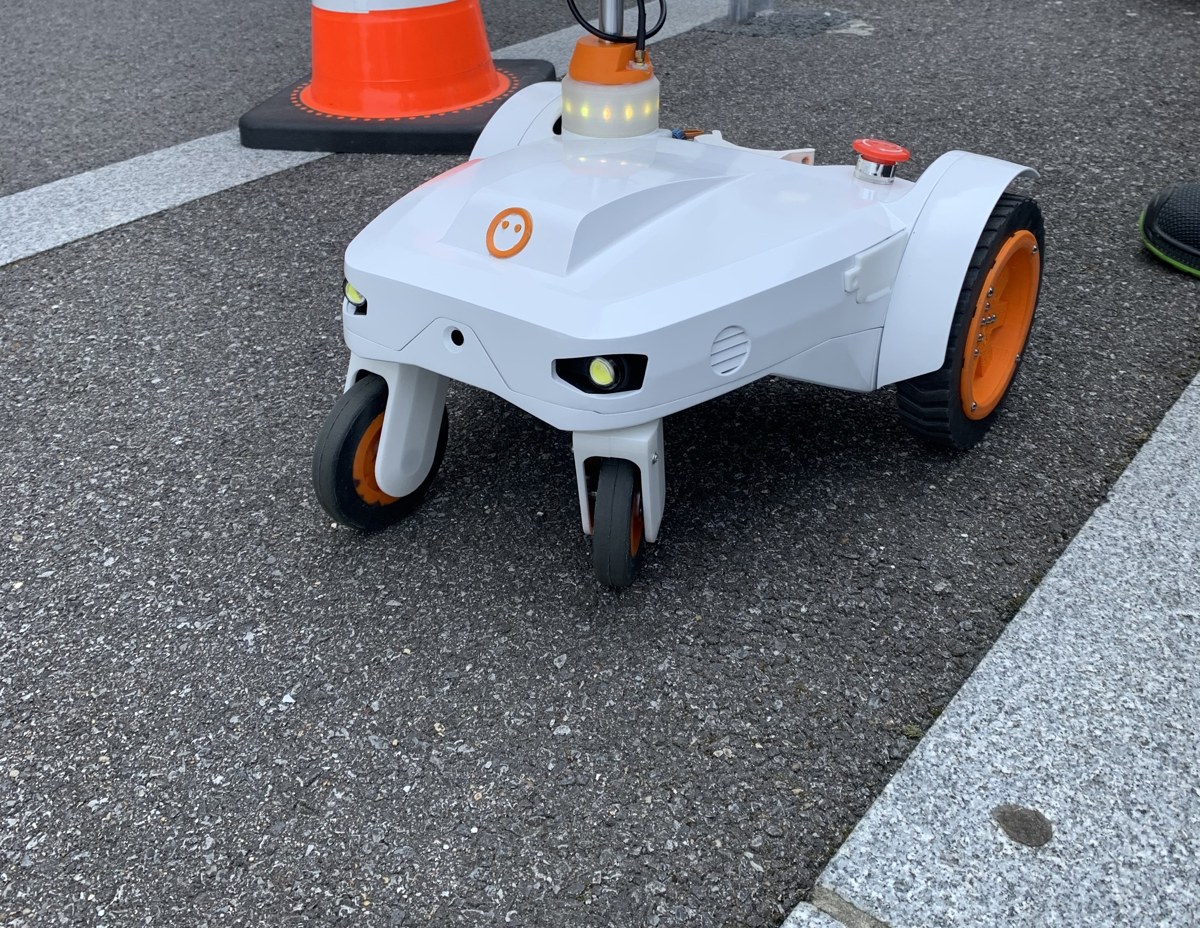
The 100 % autonomous, satellite-guided line-marking robot that frees up your teams' time.
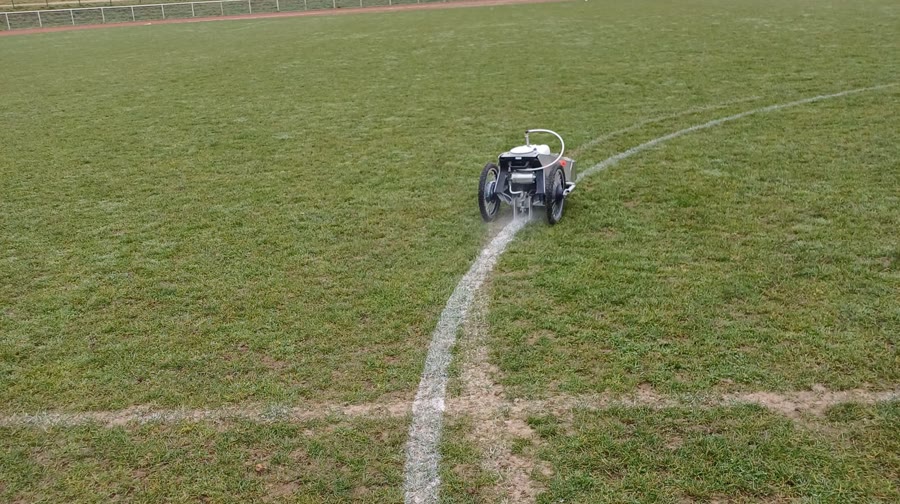
Pre-marking or temporary ground marking: draw your lines fully autonomously. Add your own symbols and shapes from your software or from an extensive built-in library.
Mark out construction layouts, the position of underground networks or your safety zones. Import files straight from your design office.
Mark out your dedicated work zones. Even indoors, without GPS, Bering stays autonomous thanks to its sensors and its artificial intelligence.
Speed up to 3.2 km/h, 1.5-litre tank depending on model, 4 h 30 battery life.
Bering reduces the number of people needed for a marking job: multiply your projects while keeping the same team.
Calculate the paint volume, the distance to cover and the duration of your marking job.
Your operators supervise work quality remotely: fewer risks of workplace accidents.
A wizard for creating, editing and importing a marking project: through the secure Conscience Connect portal.
Communication with your robot goes through the secure Conscience Connect portal, accessible from a computer, tablet or smartphone.
Draw lines, complex polygons and circles, solid or dashed. Free automatic updates regularly bring new features.
Keep your habits and use your favorite software (AutoCAD, TurboCad, SketchUp): DXF, GEOJSON and NXZCODE formats are supported.
Start, pause or resume the marking job in one click. Conscience Connect gives you real-time visibility on the progress of your marking.
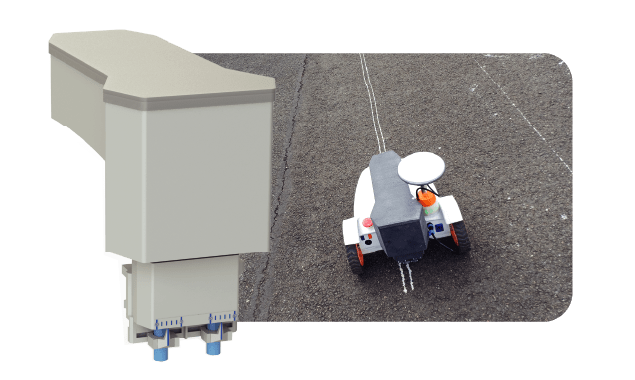
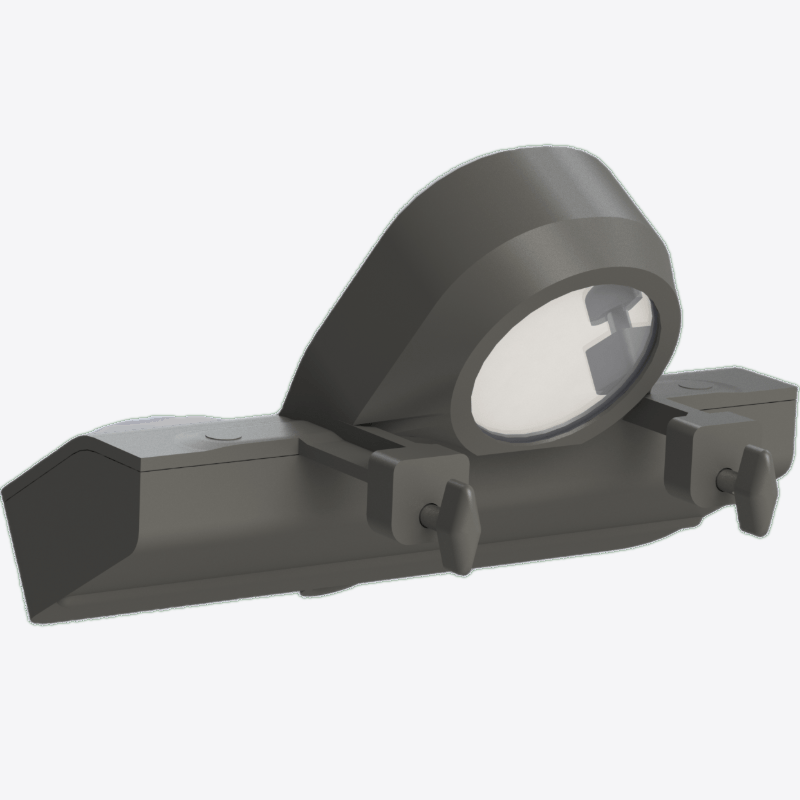
A solenoid valve releases a thin stream of paint: a fine line of less than one centimetre that serves as a guide for road marking.
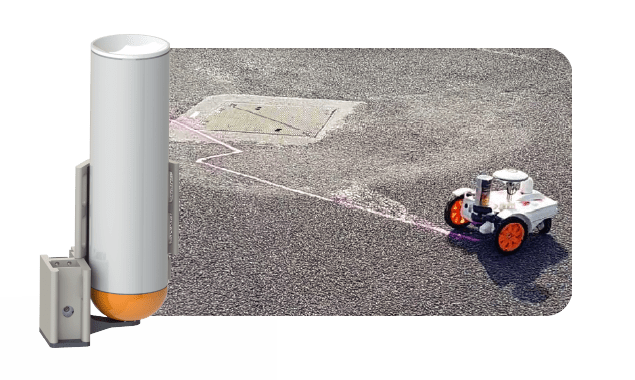
A standard pressurized can, activated by a servo-driven mechanism under the robot, for temporary markings.
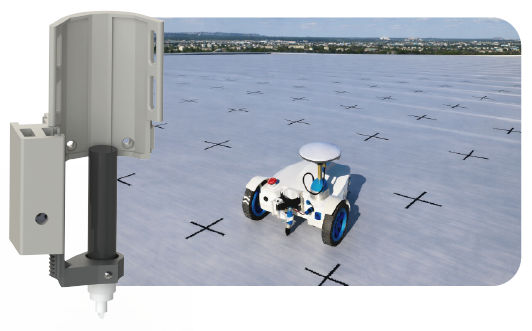
Fast, precise lines thanks to the automatic lifting of the marker after each stroke. Compatible with all types of markers.
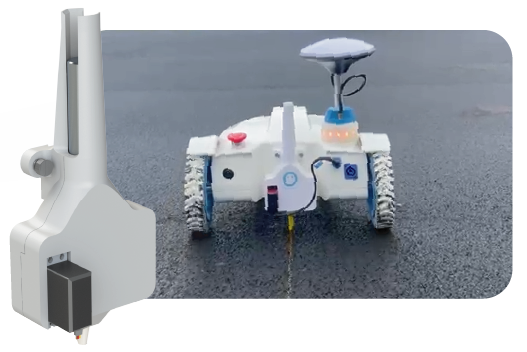
Complex, short-lived layouts: fast, economical and eco-friendly. Compatible with standard wax chalks.
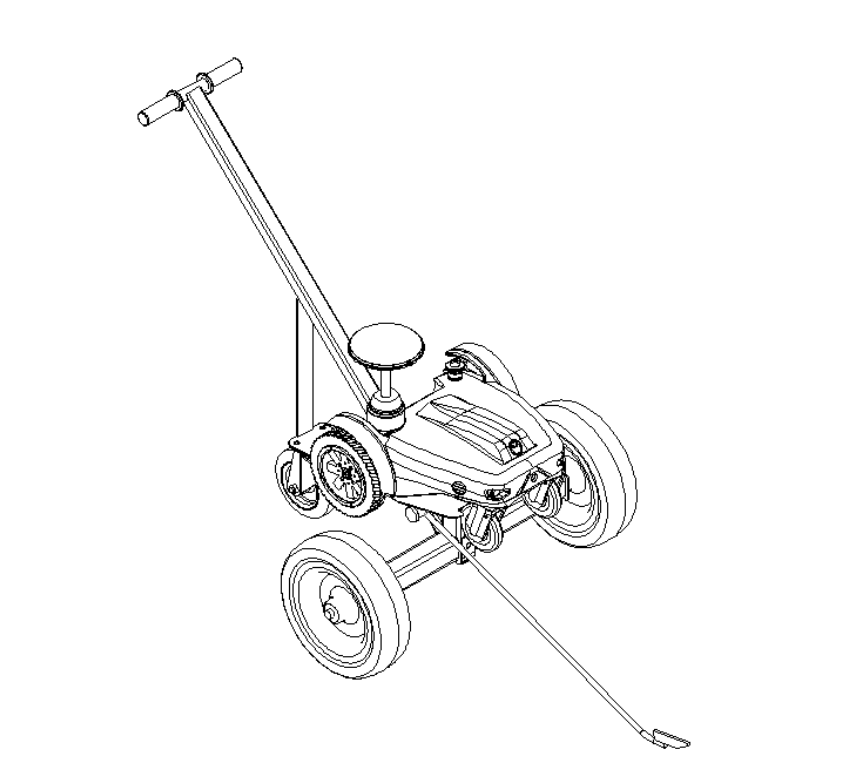
A guiding handle, two wheels and a pointing arrow turn Bering into a manual marker: perfect for laying out a precise point or completing a line by hand.
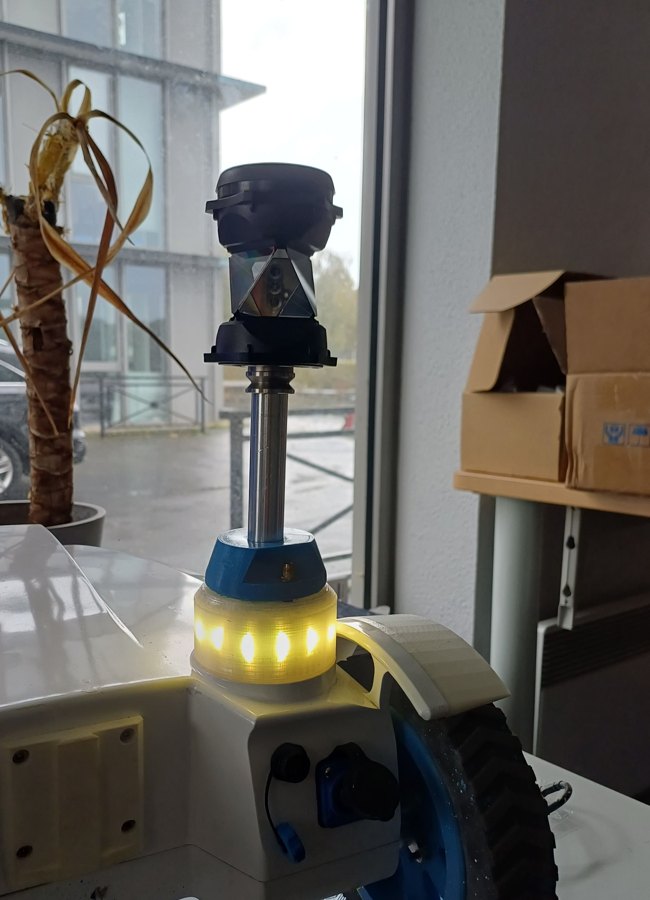
Positioning by robotic total station: millimetre precision, even without GPS, indoors or under cover. In development, and it will be compatible with Bering robots already in service.
Want to know more about how Bering works? Download the brochure →
Delivered through Conscience Connect and driven by Conscience OS, these competences are available from day one, and the list grows with every update, with no intervention on the robot.
Full robot setup from Conscience Connect: cameras, sensors, network and behaviours.
The robot's full event and mission history, available at any time.
Immersive teleoperation: drive your robot remotely, as if you were there.
Ground marking creation: lines, areas and signage.
Real-time localisation and mapping using Lidar sensors.
Autonomous analysis and surveillance rounds.
Route recording and replay for agricultural use.
Autonomous area inspection with photos taken at regular intervals.
Mapping of your environment, autonomously or manually driven.
Autonomous mapping of large areas with the Cartosol solution.
Autonomous pursuit of a detected element in the environment.
Organise robots into groups: operate an entire fleet.
High-accuracy GNSS position surveys for on-site layout.
And it is not set in stone: new competences are deployed remotely, included in updates.
Bering can produce different types of markings, such as road and industrial pre-marking with the paint-stream module, and temporary or semi-temporary markings with the aerosol module.
Log in to the Conscience Connect application on your mobile device, tablet or computer. Import your files (DXF, GEOJSON, etc.), use the predefined templates to place your points, and start marking with one click.
Save time and increase output by reducing the number of people needed on site. Cost control is optimized thanks to accurate paint-volume and distance calculations. Remote supervision improves operator safety and comfort.
Yes, Bering is an evolving robot that benefits from continuous updates to improve its features and performance, easily installed through the Conscience Connect application.
Bering follows the uploaded plans precisely. The different marking modules guarantee an adjusted, precise paint application for the chosen marking type, from fine lines to wide, complex layouts.
Still have questions? Our team of specialists is here to help. Contact a specialist →
“Since we integrated Conscience Studio into our curricula and research projects, our students' ability to design and simulate robotic missions has grown considerably. The platform's intuitive interface and powerful tools have not only enriched the learning experience but also accelerated the achievement of our research goals. It is a revolution in the way we teach robotics and programming.”
For a personalized quote, support on a product or service, or any further information: +33 2 58 50 13 09 · in@conscience-robotics.com